
Delete your account
MyAxis allows users to permanently delete their account and associated data either from within the app or by submitting a deletion request through our support channel.
How to delete your MyAxis account
Option 1: Delete your account in the app
- 1Open the MyAxis app.
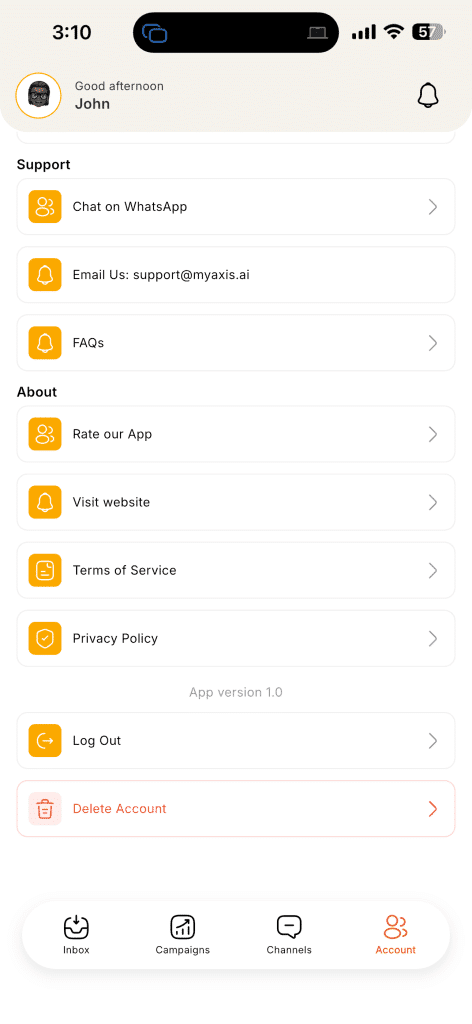
- 2Tap Account from the bottom navigation.
- 3Select Delete Account.
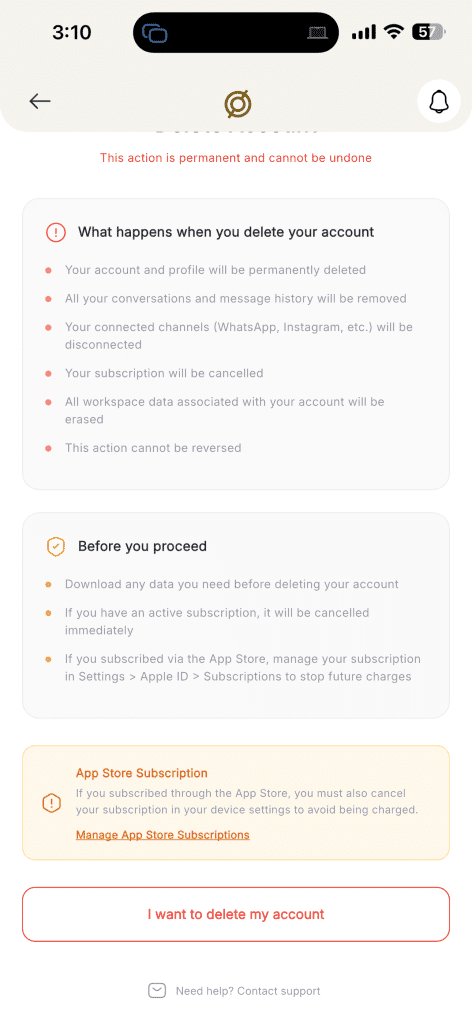
- 4Review the information shown on the deletion screen.
- 5Tap I want to delete my account.
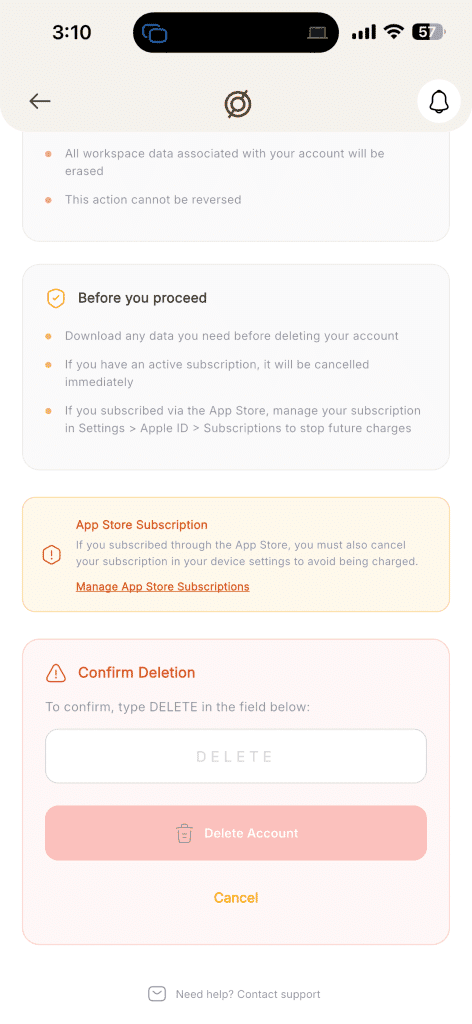
- 6In the confirmation field, type DELETE.
- 7Tap Delete Account to confirm your request.
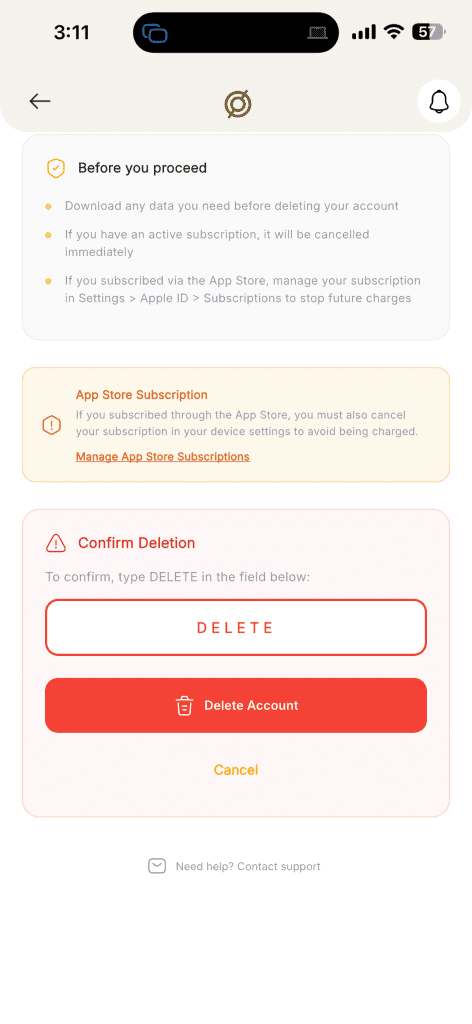
Once confirmed, your account deletion request will be processed. This action is permanent and cannot be undone.
Option 2: Request deletion without the app
If you cannot access the app, you can request account deletion by contacting us directly.
- Email:
- support@myaxis.ai
- Subject line:
- Account Deletion Request
Please include:
- Your full name
- The email address or phone number linked to your MyAxis account
- A short request stating that you want your account permanently deleted
What happens when you delete your account
When your deletion request is completed:
- Your account and profile will be permanently deleted
- Your conversations and message history will be removed
- Your connected channels such as WhatsApp, Instagram, and similar integrations will be disconnected
- Your workspace data associated with your account will be erased
- Your deletion request cannot be reversed
Data we delete
When your MyAxis account is deleted, we delete the data associated with that account, including:
- Account profile information
- Conversation and message history
- Connected channel associations
- Workspace data linked to your account
- Other account-linked data required to operate your MyAxis profile
Data we may retain
We may retain limited information only where necessary for legitimate reasons such as:
- Security and fraud prevention
- Financial reconciliation or billing records
- Dispute resolution
- Legal or regulatory compliance
Any retained data is restricted to those purposes and is not kept to restore or reactivate your account.
Retention periods
- Account deletion processing time
- 7–30 days
- Backup or system purge period
- up to 90 days (time needed for encrypted backups and replicas to expire)
- Compliance or billing records retention
- up to 1 year for invoices and payment records where tax or accounting law requires it
Need help?
If you need help with your deletion request, contact support@myaxis.ai.